Your Safety Library2024-11-13T17:27:25-04:00

Your Safety Library

From software to safety these are the top questions

Videos

Body placeholder for text paragraph. A paragraph is a self-contained unit of text
Featured FAQs

Frequently Asked Questions

Check out the answers to frequently asked questions about the Smart Safety Lockout Tagout software program.

Do I need to use a desktop computer to create a procedure?2025-12-23T10:42:57-04:00

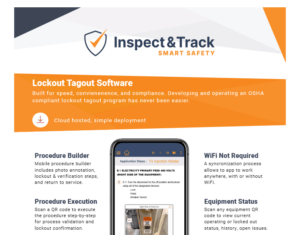
No. The lockout tagout app includes a 100% mobile LOTO procedure builder.

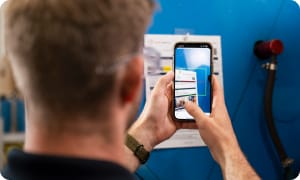
Procedures are written right at the machine for better accuracy and efficiency. Users can add energy sources, take and annotate images, and add verification and return to service steps all on the mobile app.

Can I edit a procedure after it is submitted?2025-12-23T10:42:24-04:00

After a procedure has been submitted for approval, the approver is able to make edits until the final approval. When a procedure is in an approved status it cannot be edited.

If things change or edits are determined to be needed during a periodic inspection, a procedure can be unapproved. This allows the procedure to be modified as needed and then submitted for reapproval.

This is a quick process that does not require starting over with a new procedure. When a procedure is revised, it is assigned a new ID number and QR code to ensure version tracking and undisrupted history data.

How do I create a procedure report to attach to the machine?2025-12-23T10:41:32-04:00

With the Smart Safety Pro lockout tagout app, a procedure is written at the machine using the 100% mobile procedure builder. Once complete, it is available for viewing on the main procedure dashboard.

The steps of the procedure are automatically compiled into a beautiful custom branded report, and include Scope, Purpose, and Authorization; application steps, equipment pictures, energy identification and isolation instructions, and return to service steps.

No extra formatting is required – simply press the print button and attach the report to each machine.

Is there a shortcut if I have more than one of the same machine?2024-10-22T13:29:24-04:00

Our procedure copy feature allows a completed procedure to be copied for identical machines. This prevents the duplication of lockout tagout procedure writing work when a company has identical machines.

From the Blog

Latest Stories & Articles

Our blog offers valuable information about LOTO regulations, LOTO compliance, LOTO program development, LOTO best practices, and LOTO software.

Go to Top